
The Path of the Internet Divides Into Five Steps — How to Tell Where It Stopped When It Will Not Connect
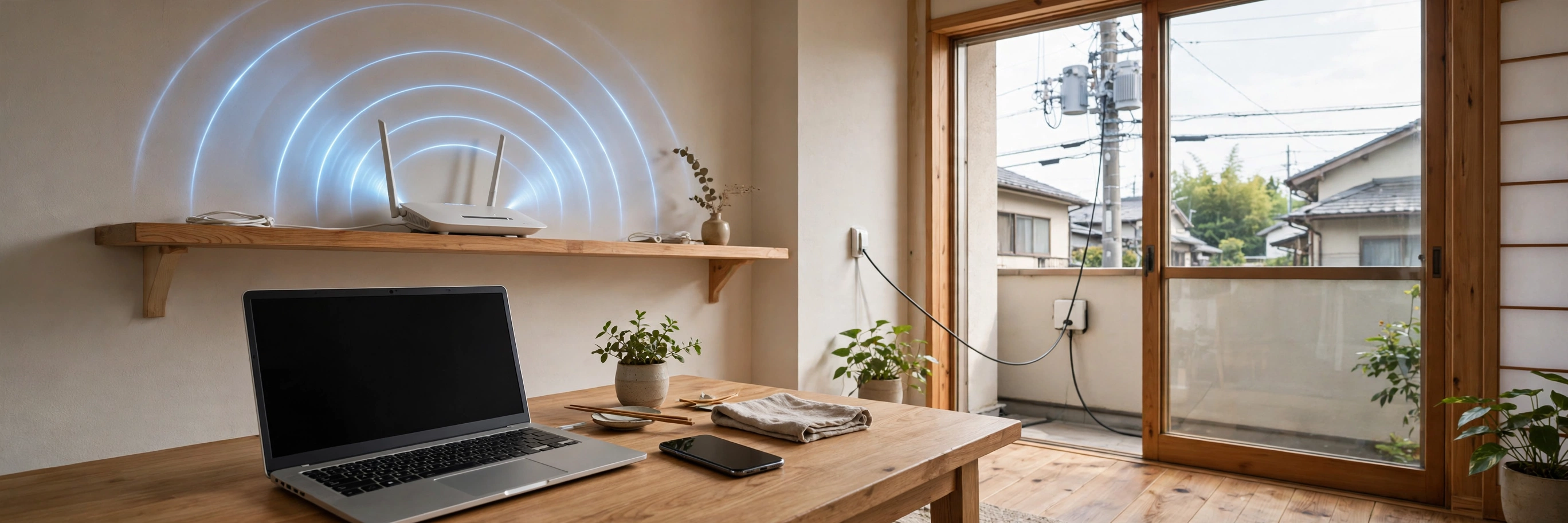
The result first: when the internet will not connect, do not touch everything at once — divide the road into five steps, and check them one at a time, starting from the step nearest to you.
- Your own machine: the computer or phone — the starting point
- Wi-Fi in the house: the last short stretch from the machine to the router, carried by radio waves instead of a wire
- The router: the machine that stands at the boundary between the machines in the house and the net outside, and lets the whole house share one entrance
- The line: the road out of the house — a fibre-optic line is the typical one, and for a phone, the mobile signal is its road
- The provider: the business that connects that road to the internet itself — the road and the entrance at its end are different jobs
Beyond those five steps lies the internet itself. Most cases of “will not connect” or “slow” are not the net itself breaking, but one of these five steps stopping. Find which step, and you know whether you can fix it, or whether all you can do is wait.
I am Kurashiki Bouzu (kurashiki-bouzu), born in 1971, a former funeral director. I now live in an old house — a kominka — in Kurashiki, Okayama, and work together with my AI butler Moka.
In “What Is a Computer, Really?” I divided the inside of a machine into four jobs: the brain, the desk, the warehouse and the doorway. This article is about what lies beyond that doorway.
What Is a Computer, Really? — The Brain, the Desk, the Warehouse and the Doorway Inside the Machine
The internet will not connect. A page takes forever to open. At times like that, touching the machine here and there tends only to make things harder to understand. Divide the road into steps, and you can make a good guess at where it stopped. That is what this article is about.
The internet is “a large mesh”
The internet is a large mesh connecting computers all over the world to each other. No single company owns all of it; the nets of many businesses are joined together following shared agreements.
Its scale comes across from the cables under the sea alone. Lay all the world’s undersea cables end to end, and the length is about 1.5 million kilometres — about 37 times around the Earth. (I wrote about this in more detail in the article on undersea cables.)
That the net is this wide also means the opposite can be said: most trouble of “the net is slow” or “it will not connect” is not in the net itself, but on the side of the road from your own house to the net. That is exactly why knowing how to divide the road is useful.
From the house to the net, there are five steps
From your own machine to the internet’s mesh, the road divides into the five steps above.
This side of the net, beyond the five steps, is where the places that keep pages and data (servers) are.
The point where contracts are easy to stumble over is that steps 4 and 5 are different jobs. “Why are there two companies — the line company and the provider company?” Because the job of making the road and the job of providing the entrance to the net are different. These days, contracts that gather the two into a single counter have also become common.
Until a page appears — addresses and the directory
When you put an address into a browser (the app for looking at pages), this is what happens behind the scenes.
Machines on the net carry addresses in numbers (IP addresses). But a row of numbers is not something a person can remember. So we use addresses in words (domains), and a directory arrangement (DNS) that looks the number up from the words works behind the scenes.
The flow has four parts: ① look up the numeric address in the directory, ② ask the place at that address, “please give me this page,” ③ that place returns the parts — the writing and the pictures, ④ the browser assembles them and puts them on the screen.
Each page’s own address is called a URL. Using this blog’s address as an example: kurashiki-bouzu.com is the address in words (the domain), and a URL is that with the place of each individual page attached after it.
How to read speed — the number is “thickness,” the reason for slowness is “crowding”
The speed number (Mbps or Gbps) is a guide to the thickness of the road. But please think of the number in advertisements as a “maximum” — the upper limit when conditions are good.
Turn that thickness back into everyday life, and it looks like this. To receive one high-quality film (about 3GB) into your hands: on a road 100Mbps thick, about 4 minutes; on a road of 1 giga (1,000Mbps), about 25 seconds is the guide. In practice it will be slower than this, but the difference in scale becomes visible.
And many people will have the experience that it grows slow in the evening. That is because the number of people using the same road increases, and the road crowds. Even at the same thickness, if it crowds, it is slow. Speed is decided by “thickness” multiplied by “crowding.”
For how much speed is enough for each use, I wrote in detail in an earlier article.
When it will not connect, check from the nearest step
Now to the main subject of this article. When it will not connect, check the five steps one at a time, starting from the nearest.
Before even those steps, at the very front, there is electricity itself. I once had a power cut where every appliance in the house stopped, and at that time, of course, the line would not connect either. Every step runs on electricity, so if this stops, there is nothing to be done. It is the step before the steps — all you can do is wait for the power to return.
First: is it just your own machine, or the whole house? Try the other machines in the house (a phone, a family member’s computer) as well. If it is happening only on your own machine, it is step 1. A restart of the machine fixes it surprisingly often. If it is happening across the whole house, what has stopped is a step further along.
Next, the Wi-Fi step. Is the Wi-Fi mark showing on the screen? Does moving closer to the router fix it? The state “the Wi-Fi mark is showing, but I cannot get out to the net” is an important clue: the wireless step is passing, and what has stopped is beyond it. Wi-Fi is an arrangement inside the house; it is not the internet itself.
Next, the router step. Turn the router off, leave it a while, and turn it on again. Small confusions inside the machine often untangle this way. When the way its lamps light up differs from usual, that too is a sign of this step.
Next, the line and the entrance steps. When you have checked everything inside the house and it still will not heal, work or a failure may be happening at an outer step. Look at the “fault information” page of the business you have a contract with, or check by phone. If it is not only your house’s story, this is a step where all you can do is wait.
I know this from my own life. When I lived in an apartment building where many younger people lived, the line often dropped. An apartment building’s road (line) is shared among the people who live in the building. At the hours when everyone uses it at once, the road crowds and the connection breaks more easily. When you have checked every step inside the house and it still will not heal, this “crowding of a shared road” may be the reason.
With fibre-optic lines in apartment buildings, which company’s road has been brought into the building is often already decided for each building, and you cannot choose it yourself. Even under the same word “fibre,” when the company differed, the speed and how easily it dropped differed quite a lot, and the buildings I lived in had their hits and misses. The line step is also a step that your own effort alone cannot do anything about.
The lines before fibre were more troublesome still. They were heavy to use, and every time the line dropped, I had to set up the connection again — a repetition of re-setting. Looking back now, that was the same as fumbling around, touching things here and there with no division into steps at all. The present way of doing things — checking one at a time from the nearest step — is also the shape that came from tidying up the hardships of those days.
In my present house, I use a fibre-optic line, and I use it with no trouble at all. Compared with the days when I redid the settings every time it dropped, I understand well the gratitude of having the line step stay quiet.
Finally, the step on the other side. If only one particular page will not open, the problem may be on the side of that page’s keeping place. If other pages open, your own road is passing through.
The important attitude is to touch only one step at a time. Touch this and that at once, and even if it heals, you will never know where the cause was. The next time the same thing happens, you will be starting from fumbling again.
The same division, seen from the side of everyday life with a computer, is also in the companion article on what to do after you start using one.
After You Start Using a Computer — Where Things Live, Updates, and How to Tell Where a Problem Is
Contracts and money, too, are clearer divided by steps
When you want it faster, or cheaper, dividing the question into which step the money goes to also reduces waste. If the wireless inside the house is weak, making only the line contract thicker will still leave the speed capped. The reverse is also true: if the line is thin, replacing only the router with an expensive one changes nothing.
I will give just one guide to monthly cost. For a 1-giga fibre-optic line, with Docomo Hikari (a two-year fixed-term contract, Type A with the provider included), a detached house is ¥5,720 per month, and an apartment is ¥4,400 per month (checked against a price guide based on each company’s official prices; checked on 18 November 2026). There are differences by business and by building, so please take this only as a guide for seeing the scale of the numbers.
In summary — inside and outside join on one road
The “four jobs” of the basics article, and this article’s “five steps.” From the doorway inside the machine, through the house’s wireless, the router, the line and the entrance, out to the world’s mesh. When you are in trouble, check from the nearest point where on this road it stopped. That alone changes how much you panic considerably.
I have also written about the internet itself here.
What Is the Internet? — Phones and Computers Run on the Same Road
- A provider is the business that connects a line to the internet’s mesh. It is a different job from the road (the line).
- DNS is the directory arrangement that looks up the numeric address (IP address) from the address in words (the domain).
- Mbps and Gbps are units expressing how much data can be carried in one second. 1Gbps is 1,000Mbps.
The material for this article is the basic knowledge gathered and kept by the house’s IT and Internet Knowledge team (sources: the Ministry of Internal Affairs and Communications’ White Paper on Information and Communications, public materials from JPNIC (Japan Network Information Center), and others), together with a glossary that keeps the everyday wordings consistent. The price guide was checked against a price guide based on each company’s official prices (LUFTMEDIA, “How Much Does a Fibre-Optic Line Cost? Fees Beyond the Monthly Price and Points for Comparison”) (checked on 18 November 2026).
A note on this article
- 2026-11-18: English draft created. A results-first rewrite of the Japanese article (ledger No. 877, published), not a literal translation. The skeleton, numbers and facts are unchanged from the Japanese original: the five steps (your own machine, Wi-Fi, the router, the line, the provider); about 1.5 million kilometres of undersea cable, about 37 times around the Earth; one film of about 3GB in about 4 minutes at 100Mbps and about 25 seconds at 1Gbps (1,000Mbps); and Docomo Hikari at ¥5,720 per month for a detached house and ¥4,400 per month for an apartment (checked on 18 November 2026). The author’s own experiences are kept as in the original: the line that often dropped in an apartment building with many younger residents, where the road is shared; before fibre, redoing the connection settings every time the line dropped; apartment fibre differing considerably by company, with hits and misses he could not choose himself; his present house on a fibre-optic line with no trouble at all; and a power cut in which every appliance stopped and the line, of course, did not connect either. Links to the basics article and the after-you-buy article point to their English drafts. This file is a draft only (draft: true) and has not been published.
- November 18, 2026 ― English draft created (results-first rewrite of the Japanese article, ledger No. 877; this version is ledger No. 900). Not published. The Japanese version is published at https://kurashiki-bouzu.com/blog/2026-11-18-net-tsunagari-kata/ . The cover image is shared with the Japanese version. Links to the basics article and to the after-you-buy article point to their English drafts (ledger No. 874 series and No. 876 series, -en drafts).(13,001 characters)