
What Is a Smartphone? — A Small Computer That Now Holds a Telephone, a Wallet and a Bunch of Keys
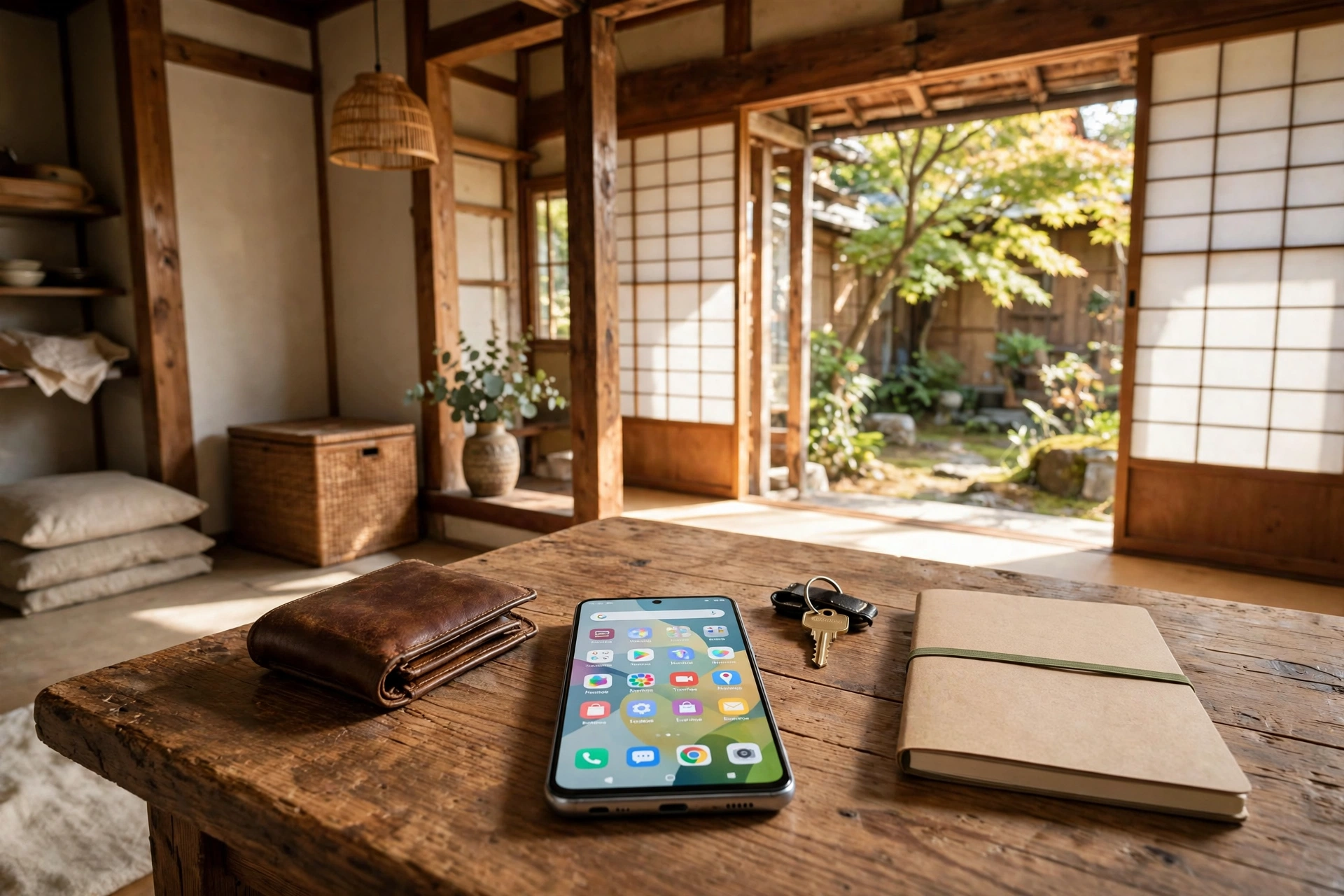
The result first: a smartphone is not a special machine. It is a small computer in the shape of a telephone.
- Its insides are the same as a computer’s: a brain, a desk, a warehouse and an entrance/exit, with two things added — a battery and an antenna. Because it carries a battery, it has the trouble, which a computer does not, of “the battery runs down quickly”; because it has an antenna, letters arrive and the telephone rings even in your pocket
- The screen itself is the entrance and exit. On a computer, the entrance and exit were divided between a keyboard and mouse and the screen; on a smartphone, the two are combined in one screen. The touch screen takes on both the role of putting things in and the role of putting results out, and voice is also an important entrance and exit
- There are two foundations (OS): iOS and Android. iOS is the iPhone’s foundation, made by Apple; Android’s original foundation is made by Google, and the machines that carry it come from various companies. Apps are obtained only from the official shops — the App Store for iPhone, and Google Play for Android — and permissions are given only as far as each app’s work needs
- There are two roads for connecting, and a SIM is a “name tag.” The roads are the mobile telephone radio waves (4G and 5G) and Wi-Fi. A SIM is a small name tag holding contract information such as the telephone number (in card form, or in the form written into the body itself, an eSIM). The machine (the body) and the contract are separate things, which is why “changing the model (changing the machine)” and “switching (changing the contract provider)” are different words
- The screen lock is now the key to the entrance of everything — the wallet, the notebook and the bunch of keys. Make the passcode 6 digits or more and avoid guessable sequences. If you lose the phone, the order is fixed: search, lock, stop the line, and erase only last of all. Households with a smartphone are 91.8% (Ministry of Internal Affairs and Communications survey, 2025 survey), ahead of television at 90.1% for the first time; households with a computer are 64.4%
Hello, I am Kurashiki Bouzu (kurashiki-bouzu), born in 1971, a former funeral director. I now live in an old folk house in Kurashiki, Okayama, and work together with Moka, my AI butler.
In the basics article on computers, I wrote about “What is a computer?” This time is a story like its continuation: “What is a smartphone?”
We hold one every day, yet when we are asked, we cannot say it well. It is a telephone, you might say — and that is true — but so many things have come to be inside a single machine that that alone is no longer an explanation. According to a Ministry of Internal Affairs and Communications survey (the Communications Usage Trend Survey, 2025 survey), households with a smartphone are 91.8%, ahead of television at 90.1% for the first time. The numbers were provided by Moka. Households with a computer are 64.4%, so the most familiar computer now is not on a desk, but in a pocket.
A smartphone is “a small computer in the shape of a telephone”
To write the conclusion first: a smartphone is a small computer in the shape of a telephone.
Like a computer, it is a machine that calculates according to the procedures (programs) it is given, and puts out results. If you replace the procedures, it can do different work. It can become a tool for making telephone calls, a tool for taking photographs, a tool for sending letters (email and messages), and a tool for looking up the way on a map.
Here is where it differs from the mobile telephones of the past. The mobile telephones of the past were machines with fixed work, centred on telephone calls and email. A smartphone is a computer to which tools (apps) can be added afterwards. That is why it is called a “smart (clever) telephone.”
In my own life, the articles of this blog are born, for the most part, from a smartphone. I pass materials and ideas that occur to me to Moka by smartphone, and Moka finishes them into articles. It has become an age in which work advances without sitting in front of a desk computer.
The insides are the same as a computer’s. What is added is a “battery” and an “antenna”
The way of dividing the insides is exactly the same as the 4 roles I wrote about in the basics article on computers.
- Brain: the centre that does the calculations
- Desk: the place where the materials of the work being done now are spread out; it disappears when the power is turned off
- Warehouse: the place where photographs, texts and apps are stored; it does not disappear when the power is turned off
- Entrance/exit: the role of putting things in and putting results out
What is added in a smartphone is, broadly, 2 things.
The first is the battery. A computer is basically used connected by a wire, but a smartphone is a machine that carries a battery around. That is why the trouble of “the battery runs down quickly,” which a computer does not have, is born. A battery is also a part that weakens little by little, as if it were growing older.
The second is the antenna. A smartphone, even without a wire, is always connected to the outside by radio waves. Letters arriving and the telephone ringing even in your pocket is thanks to this antenna.
“The smartphone is heavy (slow),” “It is full of photographs and nothing more will go in,” “The battery runs down quickly.” If troubles like these, too, are thought of divided by which of the brain, desk, warehouse and battery they are about, you can get a sense of where the problem is. The way of dividing is shared with computers.
What Is a Computer? — The Insides of a Machine, Understood by Its Brain, Desk and Warehouse
The screen itself is the entrance and exit
On a computer, the entrance and exit were divided between the keyboard and mouse and the screen. On a smartphone, these two are combined in a single screen. The screen you touch with a finger (the touch screen) takes on both the role of putting things in and the role of putting things out.
That is why a smartphone has almost no buttons. Inside the screen, the buttons needed at each moment appear as pictures. When the tool (app) changes, the line-up of the buttons that appear on the screen also changes. It is confusing at first, but once you understand that “the entrance and exit are inside the screen,” you can see how to look for the place to press, even in an app you meet for the first time.
Voice is also an important entrance and exit. Even people who are not good at typing letters can have their words turned into text by speaking. I myself am not good at typing quickly. Much of the material for this blog is passed to Moka in the form of speaking to a smartphone. It is an age in which not being able to type is no longer a “reason for not being able to do it.”
There are two foundations. Tools come from the official shops
Like a computer, a smartphone also needs a foundation (OS). The smartphone’s foundations are, broadly, 2.
- iOS: the iPhone’s foundation. The maker is Apple
- Android: the foundation of many smartphones other than the iPhone. The original foundation is made by Google, and the machines that carry it come from various companies
Even though the way of thinking and the way of protecting are shared, the places and names of the settings differ between these two. When you read an explanation, the trick to not getting lost is to check first, “Which is my foundation?” The smartphone I use is Android.
What runs on top of that foundation is apps. The places where apps are obtained are fixed to the official shops only. For the iPhone it is the “App Store,” and for Android it is “Google Play.” The road of obtaining them directly from a page on the internet is a road where things that have not passed the shop’s checking may be mixed in. Please remember this as a line.
An app you have obtained may ask you, “Please show me your photographs,” or “Please tell me where you are.” This is a “permission.” Give permissions only as far as each app’s work needs. It is out of proportion for a flashlight tool to want to look at your address book. Permissions can be reviewed later in the settings.
There are two roads for connecting. A SIM is a “name tag”
There are 2 roads for how a smartphone connects.
The first road is the mobile telephone radio waves. With the radio waves of the company you have a contract with, you are connected even outside the house. 4G and 5G are the names of the generations of these radio waves. The guide to speed changes, but it is enough to remember them as “the road that connects outside.”
The second road is Wi-Fi. It is a road that connects by radio waves over a short distance, from a machine inside a house or a shop. At home, if you connect by this road, you can avoid reducing the “usable amount” of the mobile radio waves.
Here I will talk about the representative of words that are hard to understand: the SIM. A SIM is a small name tag holding contract information such as the telephone number. There is a form shaped like a card, and a form written into the body itself (an eSIM). A smartphone looks at this name tag and judges “whose contract’s machine this is.”
What is important is that the machine (the body) and the contract are separate things. Keeping the body as it is, you can also replace only the name tag and change only the contract provider. This is why “changing the model (changing the machine)” and “switching (changing the contract provider)” are different words.
Contract providers are, broadly, groups of 5. The companies that build their own antennas and put out radio waves are 4: Docomo, au, SoftBank and Rakuten Mobile. One more is the “low-price” group, which borrows those radio waves and offers them cheaply. It is a relationship like a bus company that runs by borrowing a large road; because it does not hold the facilities, it can hold the price down. In exchange, there are differences such as having few shops, and procedures being centred on the internet in many cases. Prices are numbers that keep changing, so this article will not enter into comparing them.
The story of dividing the roads that connections pass through, stage by stage, is written in another article.
What gathered into one machine — the wallet and the bunch of keys came in, too
Inside a smartphone, besides the telephone, the tools of daily life gathered: a camera, letters, a map, a clock, money (payments), identification, and even house keys and car keys.
When I count them in our house, I end up laughing. My contract is 1 machine, but there is 1 more old smartphone connected by the house Wi-Fi for looking things up. My wife has 1 contracted machine, and 2 for Wi-Fi. In a household of two people, there are 5 smartphones inside the house. Even a smartphone whose contract has ended cannot be thrown away, and lives on as a “window dedicated to looking things up.”
The story of how even the bunch of keys came into one machine is written in detail, with both its convenience and its danger, in another article.
The Smartphone Became a Bunch of Keys — House, Car and Identification, All Inside One Machine
In proportion to what gathered, an important line was also born: that the screen’s key became the key to the entrance of everything — the wallet, the notebook and the bunch of keys.
The screen’s key, and the order for when you lose it
Make the screen’s key (the passcode) 6 digits or more, and avoid sequences that can be guessed, such as a birthday or a telephone number. Use the forms that open by fingerprint or face together, as support for it. A smartphone with no key on it is in a state where the person who picks it up can look inside just as it is. Also keep short the time until the screen closes automatically.
When you lose it, the order is fixed.
- Search: from another smartphone or a computer, search with the tool for seeing the location (for the iPhone, “Find My”; for Android, “Find My Device”)
- Lock it: lock it from far away, and show on the screen a contact for the person who picks it up
- Stop the line: contact the mobile company and stop the line and the payments
- Erasing is last: if you erase the contents, the location can no longer be searched for either. Erasure is only for when you have decided it will not come back
All of these can be used only by people who had set them up before losing the phone. Checking just the settings of the search tool, while you are well, is this article’s number one recommendation.
And making the foundation and the apps new (updating) is also a basis of protection. An update is a repair that fixes weak points. For an old smartphone that no longer receives updates from its maker, “it still works” and “it is still protected” become different stories. That is the guide for the time to think about replacing it.
Summary — the story of the foundation of the most familiar computer
A smartphone is not a special machine. It is a small computer in the shape of a telephone. Its insides are a brain, a desk, a warehouse and an entrance/exit, and to those a battery and an antenna were added. The screen itself is the entrance and exit, there are two foundations, and it is tied to a contract by a name tag (a SIM).
Once this way of dividing is understood, the words you hear in a shop, and the way of getting a sense of where a problem is when you are in trouble, become much easier. Next, I plan to write about how to read the numbers when you buy one — reading the size of the warehouse and the life of the battery by your own way of using it.
*An OS is the mechanism that becomes the machine’s foundation. It takes charge of the screen’s entrances and exits and of managing the warehouse. *A SIM is like a name tag holding contract information such as the telephone number. An eSIM is a name tag in the form written into the body itself, rather than a card. *Wi-Fi is a mechanism for connecting by radio waves over a short distance, inside a house or a shop. *An update is putting repairs and stronger protection into the foundation and the apps.
Sources
- Ministry of Internal Affairs and Communications, “Communications Usage Trend Survey” (2025 survey): households with a smartphone 91.8%, television 90.1%, computers 64.4%
- Ministry of Internal Affairs and Communications, “Mobile Telephone Portal Site”: the grouping of contract providers and the low-price mechanism (checked 2026-11-18)
- Official guidance from Apple and Google: the screen’s key, the search tools, the official shops for apps and permissions (checked 2026-11-18)
The materials for this article are Group 3, “Basic Knowledge of Smartphones,” of the house’s “Basic Security Knowledge Collection,” and the basic knowledge of computers stored by the IT and Internet Knowledge Department. The numbers were looked up for me by Moka.
A note on this article
- 2026-11-19: English draft created (ledger No. 987). A results-first rewrite of the Japanese article (ledger No. 906, 4,399 characters), not a literal translation. Numbers, proper nouns and dates are unchanged from the Japanese original. The four roles of brain, desk, warehouse and entrance/exit, the added battery and antenna, the screen as the entrance and exit, the two foundations iOS and Android, the SIM as a name tag and the separation of machine and contract, the order for when the phone is lost, and the survey figures (smartphone households 91.8%, television 90.1%, computer households 64.4%) are kept as in the original, as are the links to the related articles. The materials note and the sources are kept as in the original.
- November 19, 2026 ― English draft created (ledger No. 987; results-first rewrite of the Japanese article, ledger No. 906). Not published.(16,914 characters)