
I Made an App Management Sheet — So I Never Get Stuck on 'Which Name, Which Email Was It?'

The result first: one sheet now answers it all. If I am stuck, I open that one sheet — I no longer search around for “which name, which email, where did I put the key?”
I am Kurashiki Bouzu (kurashiki-bouzu). I have made one more sheet. This time it is an “App Management Sheet.”
I wrote earlier about making a ledger to manage the blog’s articles (“Ideally, the system is made first”). If that one manages “articles,” this one manages “keys.” For each service, its name (ID), registered email, the place where its password is kept, and its present state, lined up in one sheet.
Why it came to be made
The reason is simple. The services I use had increased more than I thought.
The blog’s place, note, X, Instagram, Threads, Facebook, Bluesky, Pinterest, YouTube, GitHub, the advertising review (AdSense), domain management (Cloudflare). When I had Moka count them, there were 16. Each one has a name (ID), a registered email address, and a password.
At first, my head was enough. But as they increased, it became like this.
- “With what name did I register that service?”
- “Which address did I use for the email?”
- “Where did I put the password away?”
And the deciding blow was the note matter. The name (ID) was in use by the older account and could not be replaced. Into that older one, the password would not pass and I could not enter. The email for resetting went to an address I cannot open, and never arrived. I wrote the whole story of that move in another article.
The trouble does not come “when you make it.” It comes “when you can no longer get in.” That day arrives without warning.
What is inside the sheet
The columns are these 7.
| Column | What to write |
|---|---|
| Service | The name of the service, such as the blog, note, X |
| Address (URL) | The address of that service’s page |
| Name (ID / display name) | The name you registered |
| Registered email | With which email address you registered |
| Where the password is kept | Only the place, such as “safe vault” |
| Status | In operation / under review / waiting for connection, and so on — how it is now |
| Notes | Work that remains, and things to be careful about |
There are 2 important rules.
First. The password itself is not written in the sheet. What is written is only “where it is put away.” If you know where the key is kept, the key itself can be taken out of the safe vault. Even if the sheet meets someone’s eyes, the key does not pass over with it.
Second. What you do not know, write honestly as “unconfirmed.” Services whose registered email has not been confirmed are entered as “unconfirmed,” just as they are. A sheet written as if you knew will betray you at the very moment you need it.
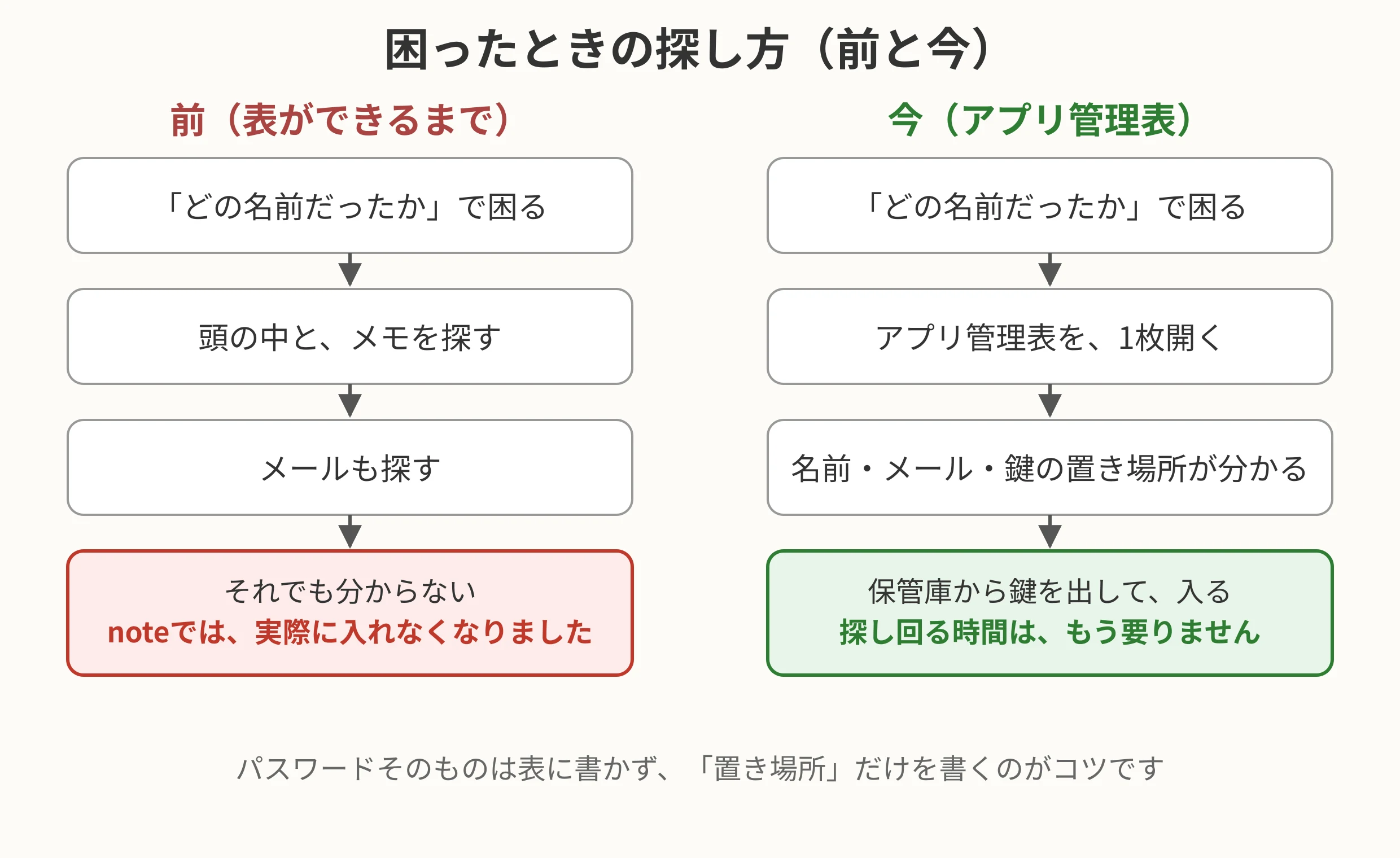
(Figure: Before, names, emails and the places of keys were scattered in my head and in memos. Now, when I am stuck, I only open one sheet.)
The division with Moka
This sheet, too, was not made by me from scratch. I asked Moka, and she made it.
What Moka does
- Make the sheet (washing out the services, entering names and states)
- When something changes, correct the sheet (if I leave a service, to “left”; if a review passes, to “in operation”)
- Put it in the collection of links for checking, too, so it opens at once
What I do
- Look at it
- When I notice a mistake, say so
When you think of a password yourself, it tends to fall into the same shape. So for new passwords, I had them made by a “password-making tool” usable on the internet (for example, Trend Micro’s password creation tool), and had the management system remember them. That tool itself, too, is entered as one line at the end of the sheet. Even if it is not an account, it is convenient when the tools you use stand in line together.
With 2 sheets, no more searching around
With this, I now have 2 sheets at hand.
- The ledger of articles and social posts: What I wrote, and what I put out
- The App Management Sheet: Into which service, with which name and key, I enter
Both open at once from the collection of links. The time spent searching around with “Now, where was that?” is gone.
Simple and convenient is not a story of a big system. It is the accumulation of making one plain sheet like this. And making it is only once. After that, you only correct it when something changes.
Before the day comes when you can no longer get in, I recommend putting at least the names and the places of the keys into one sheet.
Record of this article
- Publication date: November 15, 2026
- Characters: about 1,840 characters (Moka counted them)
- Draft created: November 7, 2026
- Trigger: Experiencing “the day you can no longer get in” in the note move. My own words: “If I have Moka make an app management sheet, I can access things right away, can’t I”
- The management sheet itself: App Management Sheet (managed by Moka). 16 services recorded
- November 18, 2026 ― English draft created (results-first rewrite of the Japanese article, ledger No. 32). Not published; publication is a separate step.(3,874 characters)