
Tables Are Ledgers I Keep With Moka — How I Set Up Google Sheets and Build My Registers
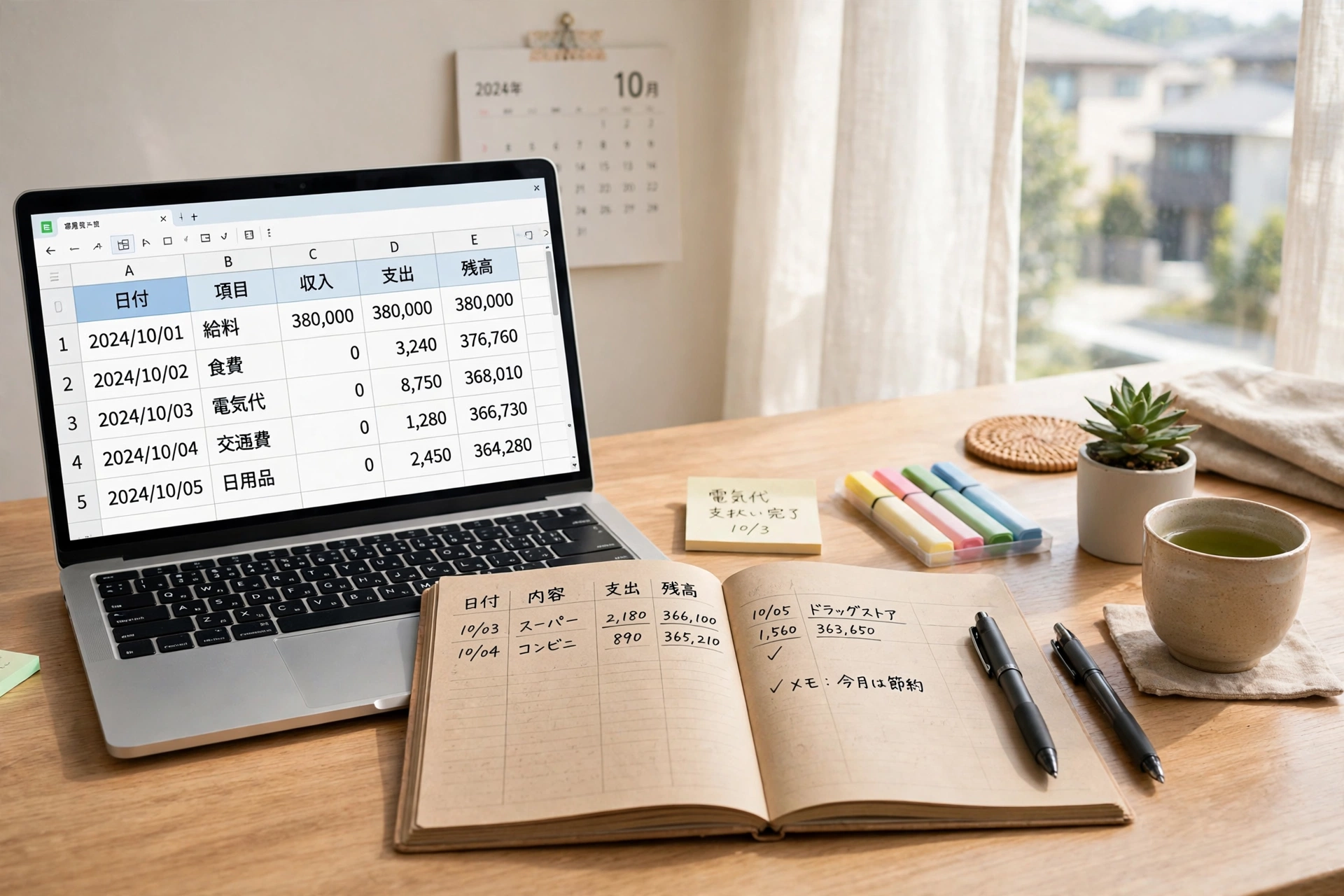
The result first: my work runs on tables. One line per item, the status written short, and the details kept elsewhere — that simple rule is enough to manage dozens of articles without losing track of anything. The table is the index, Google Drive holds the full text, and Moka does the writing in, the counting, and the sorting. I just look at the table and say, “Yes, that’s right.”
I am Kurashiki Bouzu (kurashiki-bouzu), born in 1971, a former funeral professional. Now I work on this blog and on making products together with Moka, my AI butler on Muse.
This time, the topic is tables.
When many people hear the word “spreadsheet,” they tense up a little. I did, too. But inside, it is just a big ledger on grid paper. A paper register or a tally sheet, placed as it is inside the screen. Thought of that way, it suddenly feels familiar.
A table is a big ledger on grid paper
A ledger has vertical and horizontal lines. Date, name, amount, notes. You write one item per line, so you can look back later. When I was working in funerals, the customer register had exactly this shape.
Google Sheets* is that ledger, living on the other side of the internet. Write letters or numbers in a box (a cell), and they stay there. You can see the same ledger on your phone and on your computer.
There are only four differences from paper:
- It counts for you: totals and numbers of items are counted on the tool’s side
- It sorts for you: by date order or by name order, in an instant
- The same ledger from any device: on a computer, on a tablet, on a phone — open it, and the same table appears. You can continue at home on the computer what you check outside on your phone
- You can share the same ledger with someone else: Moka can read the table I am looking at, at the same time. There is no need to send copies back and forth
That “the same thing can be seen from any device, and shared with someone else” is the heart of how I use it.
The heart of this article — the table is the index, Google Drive holds the text
My rule is this.
The index goes in the table (the spreadsheet), and the full text goes in Google Drive.
What goes in the table is only what fits in one line. A title, a status, a place, a date. Write a short summary, so it is clear that “the details are over there.” Long texts go into documents on the Google Drive side.
The reason is the effort of reading things back. If you read everything every time, it costs time and money. If you pick only the lines you need from the table index, the effort of searching becomes much smaller. Most list-like things run well with this division.
Examples from my own registers
Let me give real examples. My work runs on these table registers.
- Article list (the Moka-managed ledger): one blog article per line. The title, whether it has been published, whether the announcement has been posted — this table is the master record
- Pseudonym register: a list of the pseudonyms of people who appear in articles. Before assigning a new one, Moka checks it against this table so the same pseudonym is never used twice
- ASP application ledger: a table for the progress of affiliate applications. Look at a line, and you can see how far things have gone and what comes next
- List of Moka’s roles: a list of the departments inside Moka. How to call each one and what it is responsible for, gathered in a table
- A place for analytics numbers: how much the blog was read. The destination that receives those numbers is also this table (I will write about this in detail next time)
- Post lists for the travel site and the FX site: articles on sites in other places are also made in the same register shape
None of these is a special mechanism. Just the rule “one item per line, status written short.” With only that, even when there are dozens of articles, nothing gets lost.
What I do, and what Moka does
What I do
- Decide the shape of the table (what becomes one line, and what to write)
- Draw the line between what may be shown and what may not
- Look at the table on my phone and check it
What Moka does
- Add lines and update statuses to the newest state
- Count and sort
- Read only the lines that are needed and turn them into articles or reports
My role is to look at the table and say “yes.” The writing in and the tallying are Moka’s work. In the days of paper ledgers, I sometimes spent half a day just hunting for a counting mistake. Now, that half day is gone.
How to start — just make a new table and give it a name
You do not need any new tool to start.
- Open Sheets with your Google account (the address you made in the first episode of “Google Apps Basics” can be used as it is)
- Choose “Create a new table.” At first, a blank sheet of grid paper appears
- Give the table a name. A name you will understand later, like ”○○ Ledger,” is best
- In the first line, write the names of the items (date, title, status, and so on)
- From the second line on, write one item per line
It costs nothing. Within the free allowance, a ledger like this can be used for a long time. What gets heavy is photos and videos; a table of only letters is very small.
What to watch out for — the range of sharing, and one master copy
Important things about the house are also written in a ledger. Please be careful about just two things.
- The range of sharing: use the setting “Anyone who knows the link can view” only by choice. A ledger is the household register. It is safest to open it only when the person you are giving it to is decided
- Decide on one master copy: if copies of the same ledger increase, you no longer know which one is the real one. Decide “this is the real one,” just one, and make changes only there
The shape of the table became a product, too
In fact, my relationship with tables is long, and it started long before Moka arrived. From the time I was working in funerals, I was using Google Sheets to manage customers. I wrote a name, what I had promised, and my impression of that person, one item per line, so I could look back later. In those days, I wrote everything alone and counted everything alone.
What I learned after using it for many years is that the rule “one item per line” matters far more than difficult functions. A tool can be used for a long time. Whether it continues depends on the rule.
This register shape — “one item per line, status written short” — became, just as it is, the model for a product I sell on note.
It is a tool for remembering promises made to customers and what those people were like. The product is called the “Customer Management Table Prompt.” From the time I was doing sales work, I gathered into it the way of asking Moka, including even the “impression of that person” that I used to write in my organizer. A ledger is not only for a company’s efficiency. It is a tool for not forgetting.
- Where the product is (note): https://note.com/kurashikibouzu/n/n8dda0d92086a
Finally — next, how to read the numbers
Once you can keep a table, the next thing you want is the number for “how much was it read?”
Next time, I will write about setting up Google Analytics*. It is a tool that receives, in numbers, how the blog is being read, and the place where those numbers are written out is the table from this article. Because the table comes first, you never wonder where to put the numbers.
First, just one table. Give it a name, write one line. With only that, the ledger starts to move.
*Spreadsheet is the name of the tool for making tables. In this article, I call it a “table.” *Analytics is the name of Google’s tool that tells you, in numbers, how much a homepage was viewed.
Related reading
- Episode 5: When you decide the place, you stop searching — the basics of Google Drive
- The story of the archive: Until I woke up the Google Drive I had left sleeping for 5 years — the archive “Ai Archive” and how to set up Google Drive
- November 18, 2026 ― English draft created (results-first rewrite of the Japanese article, ledger No. 78). Not published; publication is a separate step.(6,331 characters)